How to export a complete list of all projects to CSV
Last updated: May 8, 2026
You can export a complete list of all your projects to CSV format using the export feature on the Projects page.
Steps to export all projects
Navigate to the Projects page
Click the 3 dots menu in the top right corner
Select CSV Export from the dropdown menu
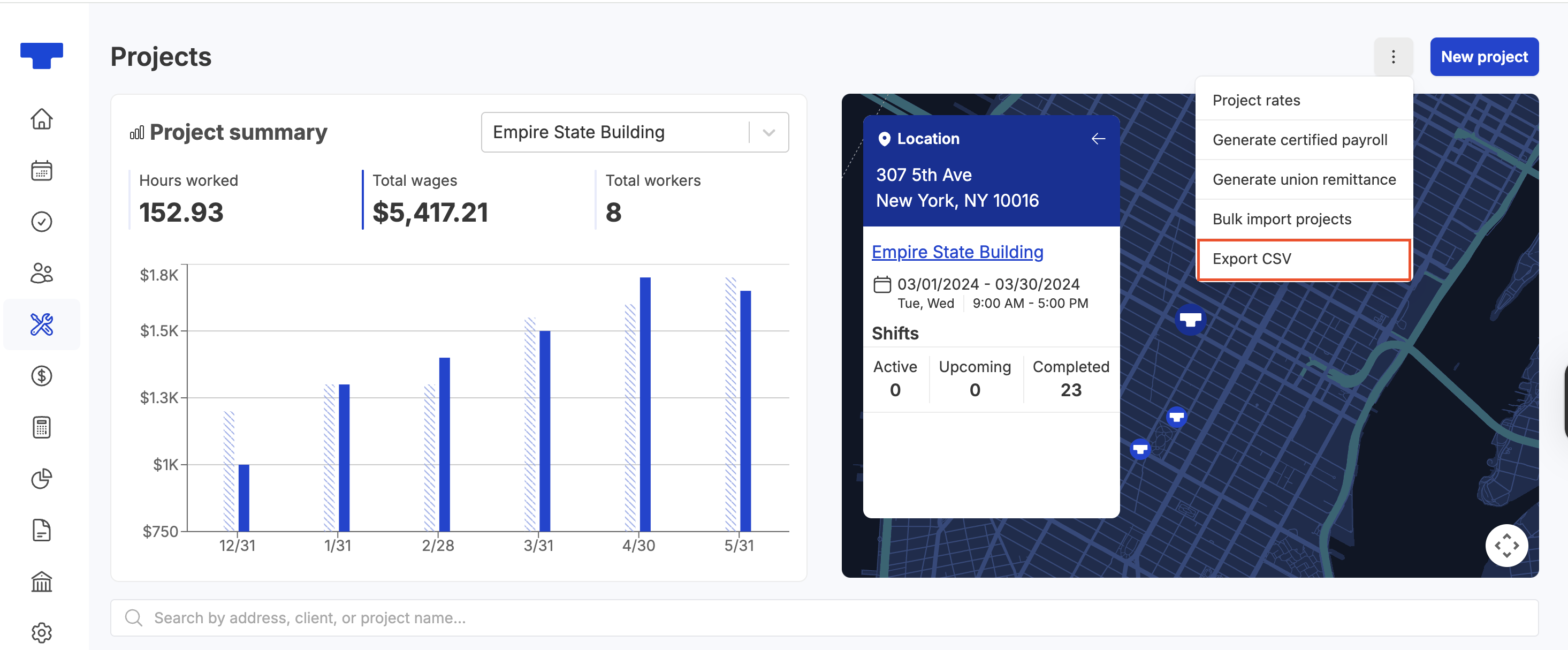
This will generate a CSV file containing all of your projects, regardless of how many you have. The export includes your complete project list, not just the projects visible on the current page.
Alternative reporting options
If you need project reporting with additional details like time tracking and work records, you can also use the Report Builder feature. However, note that Report Builder will only show projects that have time or work recorded, so it may not include all projects if some don't have any logged activity.