Form Notifications
Last updated: May 20, 2026
Overview
Form notifications help users stay up to date on form responses by sending scheduled email digests. These digests can be configured to run on a daily or weekly cadence, depending on your preference.
When creating a new form, you can quickly add it to an existing notification digest or create a new one directly as part of the setup process.
Setting Up A Form Notification
Create a New Form Notification
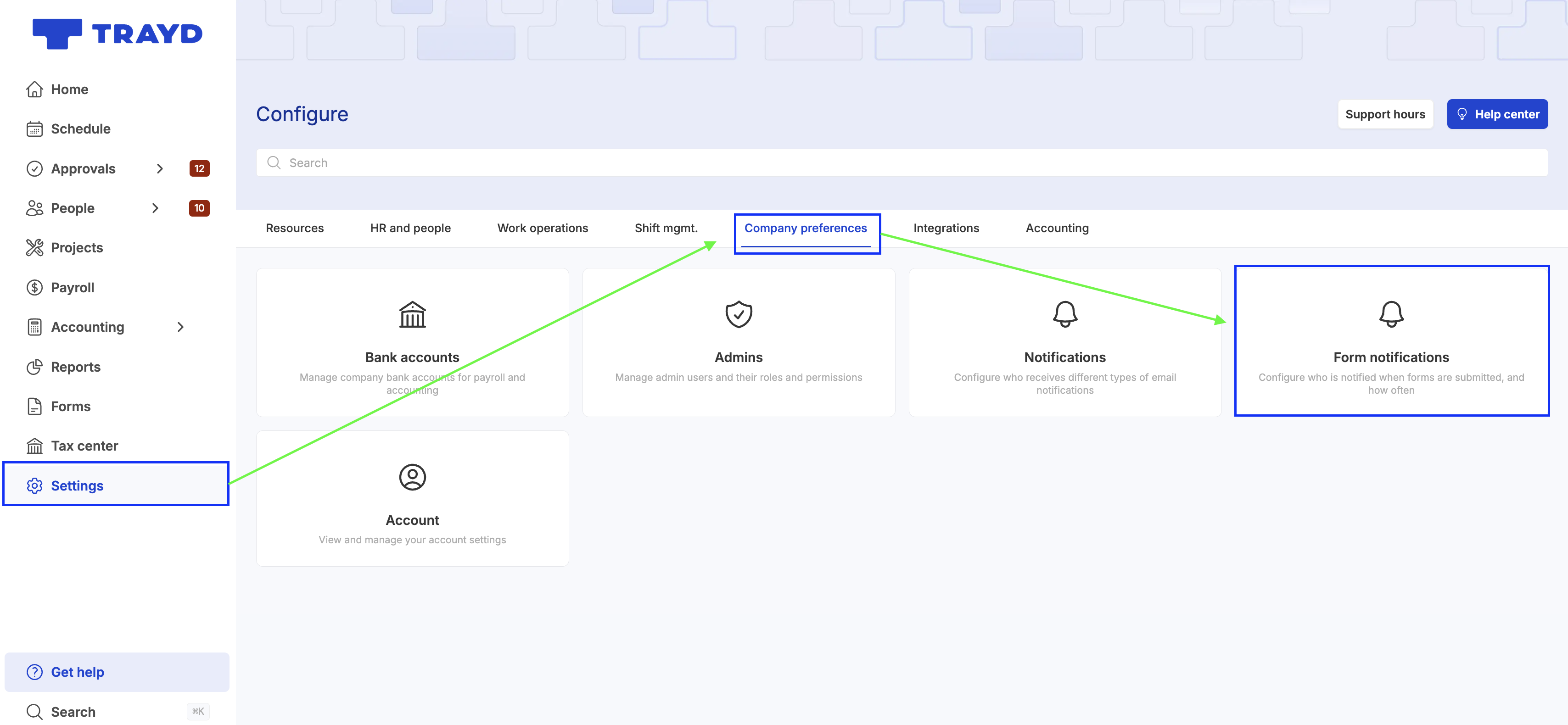
Go to Settings
Navigate to Company Preferences > Form Notifications
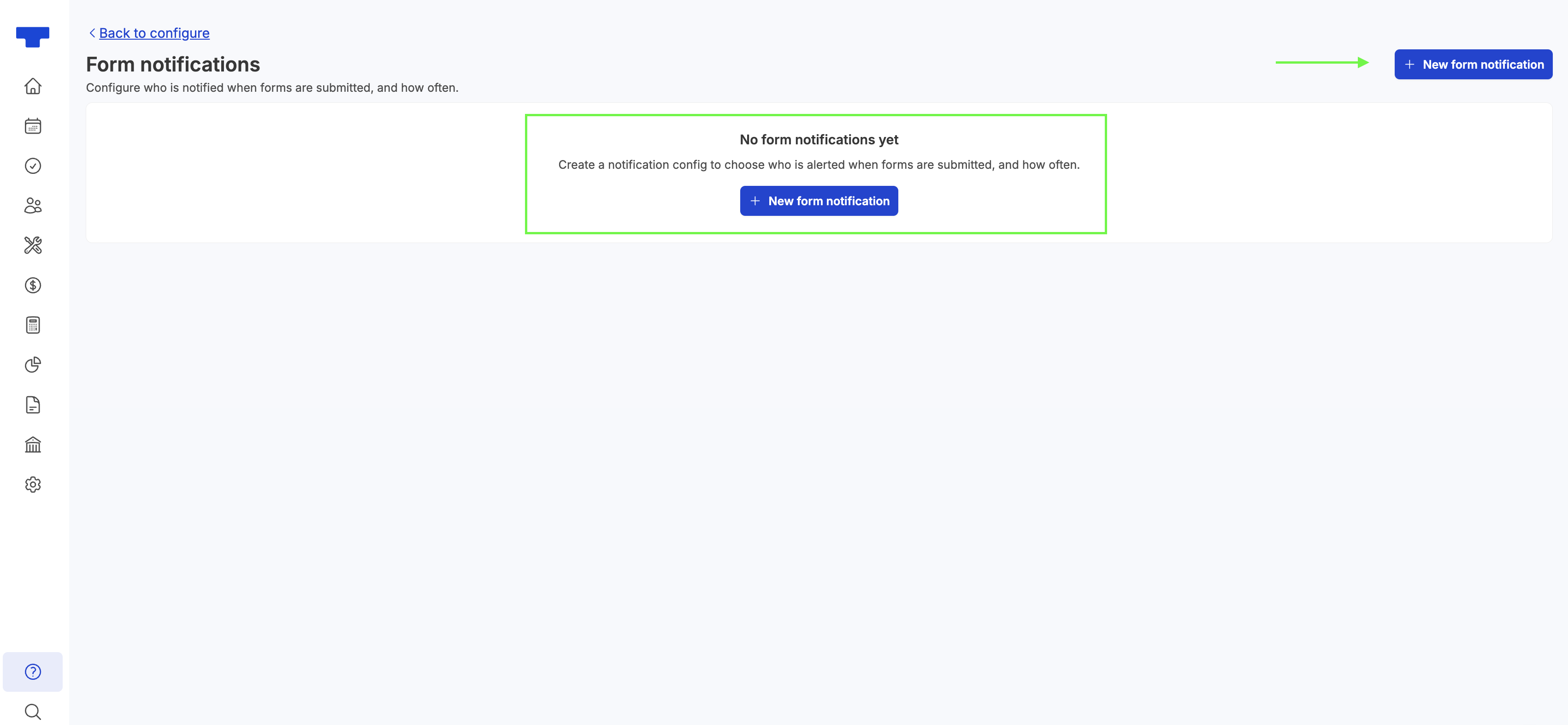
Click + New Form Notification
Customize Your Notification
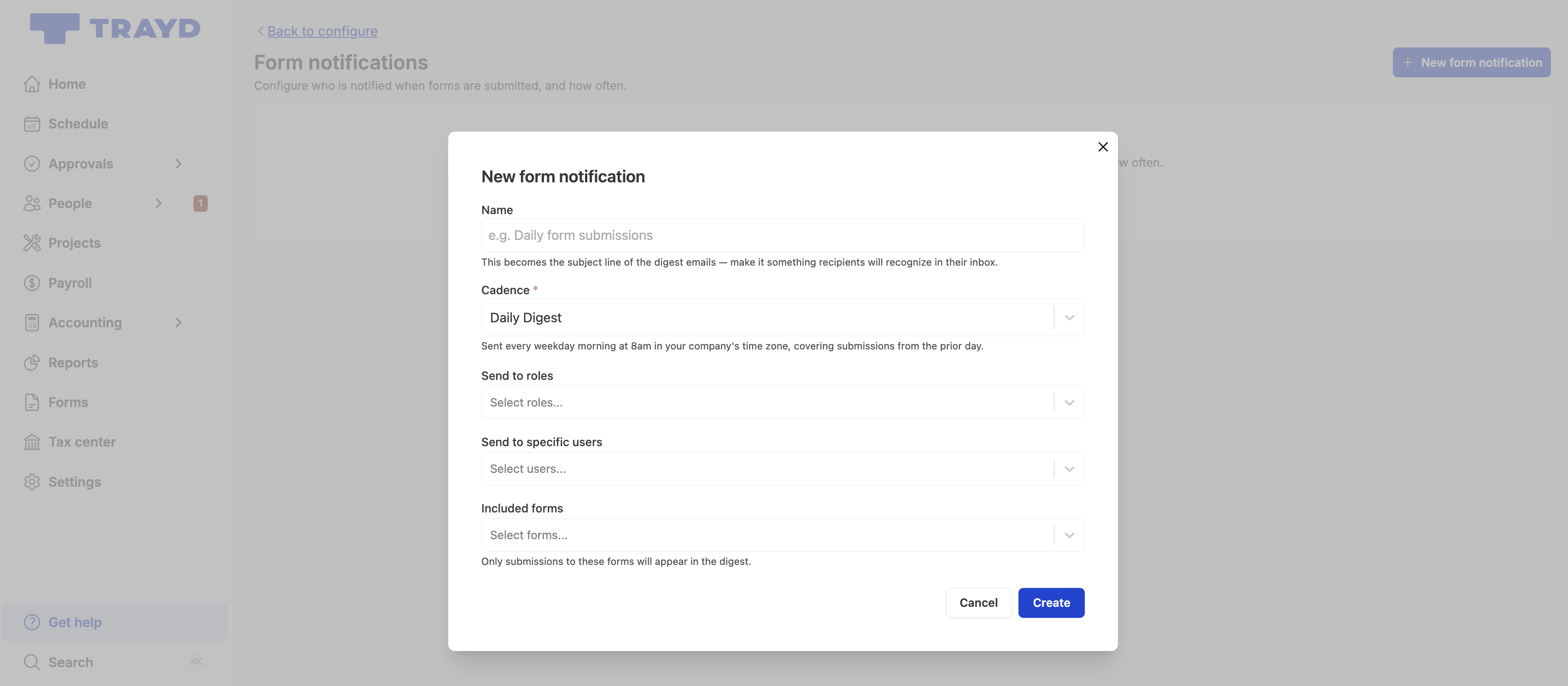
Enter a Name: this will be used as the subject line of the email digest
Set the Frequency
Choose daily or weekly
Emails are delivered at 8am (local time)
Select recipients:
Roles – sends to all users assigned to the selected role(s)
Specific Users – sends only to selected individuals
Choose Included Forms
Select which forms will be included in the email digest
Click Create Notification
Editing an existing form notification
Go to Settings
Navigate to Company Preferences > Form Notifications
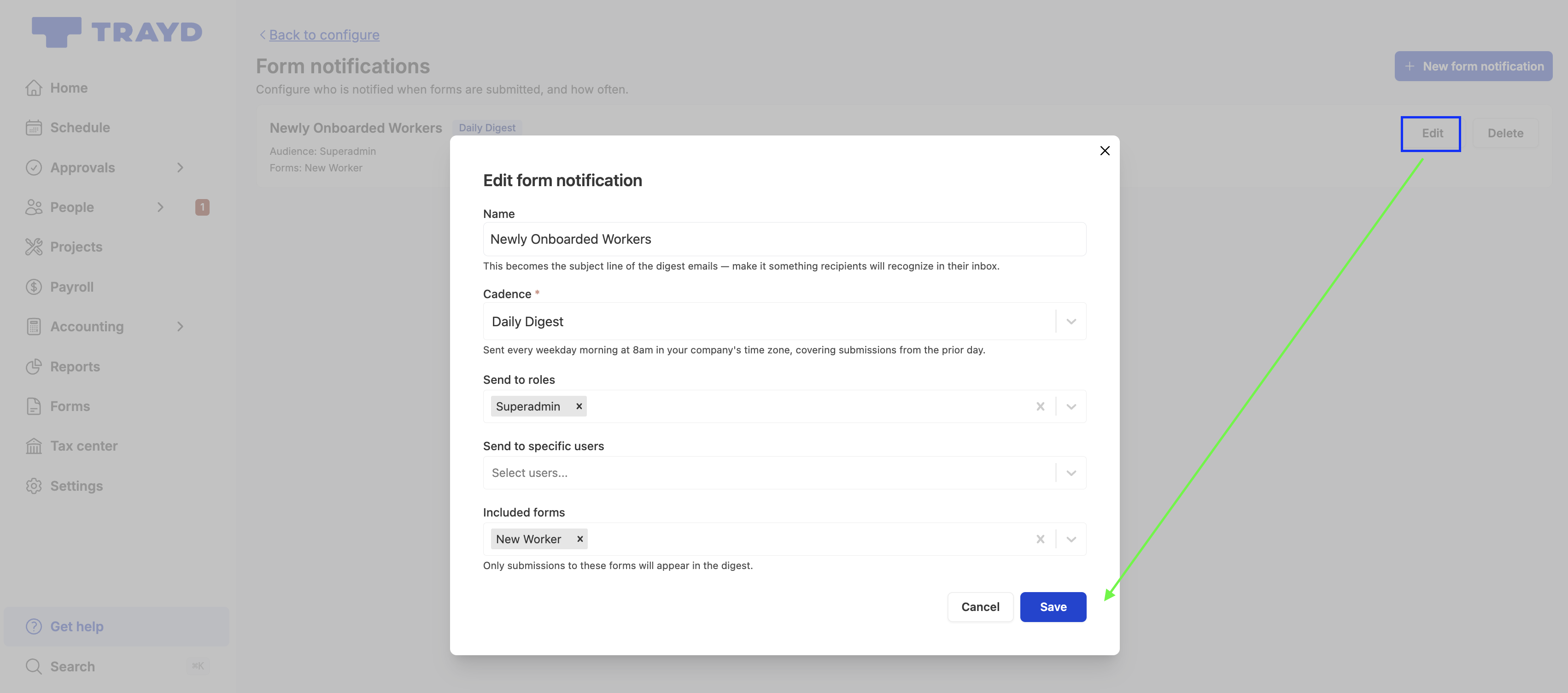
Find the notification you want to update and click Edit
Make your changes and click Save
Deleting an existing form notification
Go to Settings
Navigate to Company Preferences > Form Notifications
Find the notification you want to remove and click Delete
Confirm deletion and the notification will be removed